Introduction
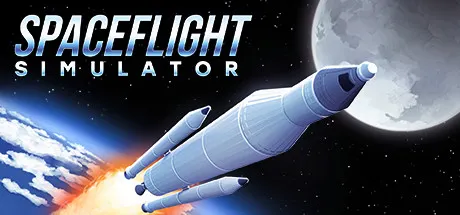
Spaceflight Simulator (SFS) is a 2D, cross-platform, space flight simulation Unity game supported on Android, iOS, Windows, and macOS (through Steam) developed by Team Curiosity, and was originally an exclusively mobile game that was a solo project by Štefo Mai Morojna. In SFS, players can build and fly their own spacecraft using a variety of parts, and explore the Solar System filled with planets, moons, and other celestial bodies.
The game also has an extensive planet editing feature that allows players to create and share their own custom planets and solar systems with the community.
Another one of the key features of SFS is its modding support, which allows players to create and share their own custom content for the game. Mods can range from simple texture packs that change the appearance of parts, to complex gameplay mods that add new mechanics and features to the game.
Modding Platform Support
As of December 22th 2025, both asset mods and code mods are supported on the desktop versions of SFS (Windows and macOS), while only asset mods are supported on the mobile versions (Android) in the beta version of SFS 1.6.
Types of Mods
There are several types of mods that can be created for SFS, including:
Code Mods
Code mods, also known as DLL mods, are mods that add new functionality to the game through a mod loader that loads compiled .NET Framework 4.8 assemblies (DLLs, dynamically linked libraries) at runtime.
Code mods are split up into 3 categories:
- Gameplay Mods: These mods change the gameplay mechanics of SFS, such as adding new parts, changing physics, or introducing new game modes.
- Quality of Life (QoL) Mods: These mods improve the user experience of SFS without changing the core gameplay mechanics, such as adding new UI elements, improving performance, etc.
- Dependency Mods: These mods provide shared functionality or APIs that other mods can depend on and use.
Asset Mods
Asset mods are mods that add new content to the game through the Custom Assets Loader, and aren't necessarily adding new functionality via code. Asset mods are split up into 2 categories:
Texture Packs
Texture packs are mods that add new part textures. These can range from flat colors to highly detailed textures that change the appearance of parts in the game.
Part Packs
Part packs are mods that add new parts to the game that can be used in building crafts, such as new engines, landing gear, fuel tanks, etc.
Custom Solar Systems, aka Planet Packs
Custom solar systems are mods that add new planets, moons, and other celestial bodies to the game. Before 1.6.0, these were created using the in-game planet editor and shared as planet files, but with the 1.6.00.0 beta, custom solar systems are now considered mods.
This Guide
This guide aims to provide a comprehensive overview of SFS modding, covering everything from setting up your development environment to creating and sharing your own mods. Whether you're a seasoned developer or a beginner looking to get started with modding, this guide will provide you with the knowledge and resources you need to create amazing mods for SFS by doing the following:
- providing an overview of the mod loading process and how mods interact with the game,
- outlining the conventions and style guide for SFS modding,
- providing step-by-step tutorials on creating your first mod,
- documenting the various APIs and systems available for modders to use.
Assumed Knowledge
While you don't need to be an expert programmer to create mods for SFS, a basic understanding of programming concepts and familiarity with C#, the .NET ecosystem, and the Unity Engine will be helpful. Additionally, some knowledge of game development concepts such as game loops, rendering, and physics will also be beneficial.
For custom asset mods, you don't need programming knowledge, but familiarity with image editing software (for texture packs and planet packs) and the Unity Editor (for part packs) will be useful.
That being said, this guide will aim to explain concepts in a clear and concise manner, and provide resources for further learning where necessary.
Community
The SFS modding community is active and supportive. If you have questions or need help getting started, consider joining the official SFS Discord server and chatting in the #modding channel or visiting the SFS forums to connect with other modders and get assistance.
Contributing
This guide is a community-driven project, and contributions are welcome! If you have suggestions for improvements or would like to contribute content, please feel free to open a pull request on the GitHub repository! By contributing to this guide, you can help make SFS modding more accessible and enjoyable for everyone.
For more information on how to contribute, please refer to the contribution guide.